How to Choose the Right ERP for a Manufacturing Business in Pakistan (2026 Guide)
MA Softs Team
Enterprise Lead Writer
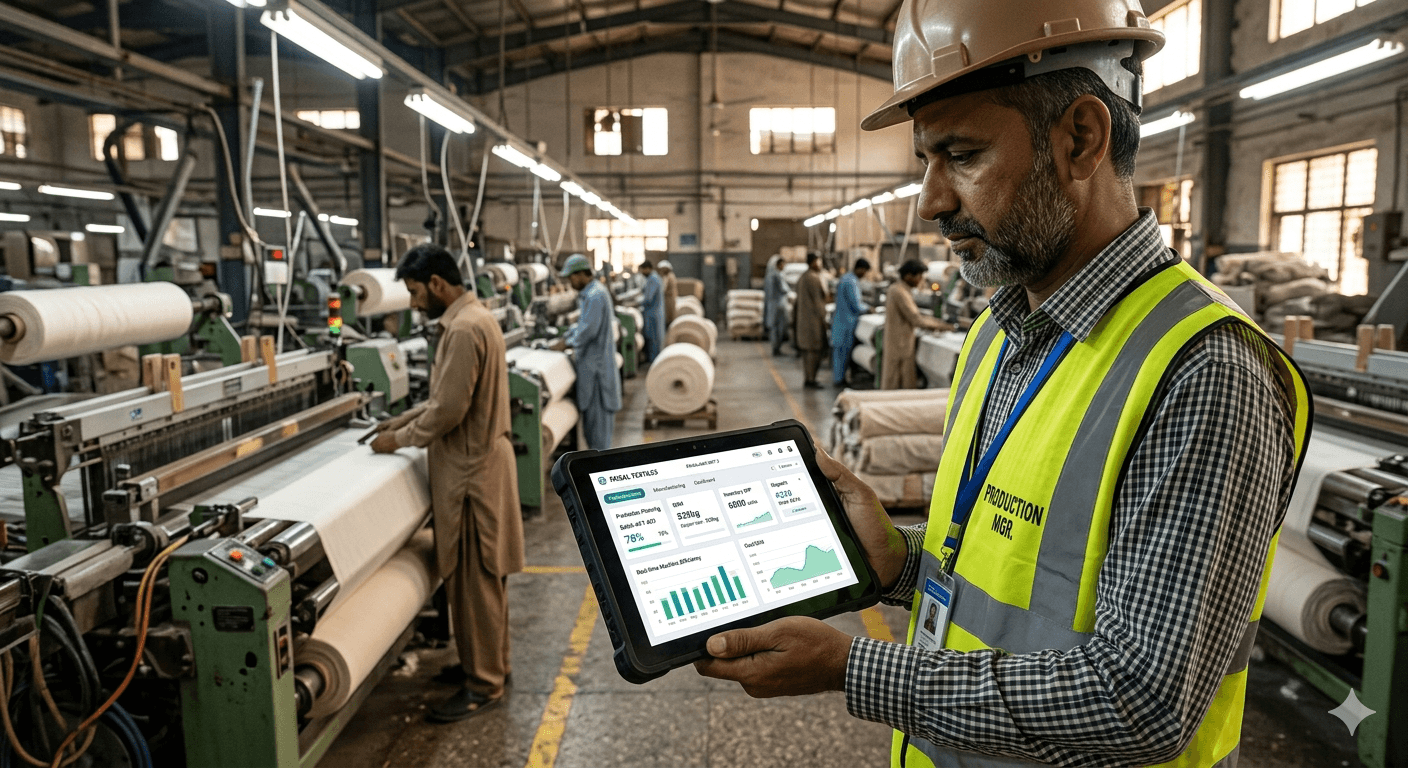
Running a manufacturing business in Pakistan is no small feat. Between managing raw material procurement, tracking production lines, handling inventory across warehouses, and keeping up with invoicing and compliance — the operational complexity is immense. Most factory owners still rely on a patchwork of Excel spreadsheets, WhatsApp messages, and manual registers to hold everything together.
That works — until it doesn't.
Missed shipments, stock discrepancies, billing errors, and production delays are all symptoms of one root problem: no single system connecting your operations. That's exactly what an ERP (Enterprise Resource Planning) system solves.
But choosing the wrong ERP is almost as bad as having none. This guide walks you through everything a Pakistani manufacturer needs to know before making that decision in 2026.
What Is an ERP System and Why Does Manufacturing Need It?
An ERP is software that integrates all core business processes — procurement, production, inventory, sales, finance, and HR — into a single unified platform. Every department sees the same real-time data, which eliminates duplication, reduces human error, and gives management a clear picture of operations at any moment.
For manufacturing specifically, an ERP typically covers:
- Bill of Materials (BOM): What raw materials are needed to produce each product.
- Production Planning: Scheduling machines, labor, and materials for each batch or job order.
- Inventory Management: Tracking raw materials, work-in-progress (WIP), and finished goods across locations.
- Quality Control: Inspection checkpoints, rejection tracking, and compliance documentation.
- Purchase Orders & Vendor Management: Automating reorder points and supplier communication.
- Sales & Dispatch: Order management, invoicing, and delivery tracking.
- Financial Reporting: Profit/loss, cost of goods sold (COGS), and cash flow visibility.
Without these connected, even a medium-sized factory in Karachi, Lahore, or Faisalabad is essentially operating blind.
5 Key Questions to Ask Before Choosing an ERP
Before you evaluate any software, answer these questions honestly. Your answers will determine whether you need a simple off-the-shelf product, a configurable platform, or a fully custom ERP built for your specific workflow.
1. What Type of Manufacturing Do You Do?
This is the most important question. Manufacturing is not one-size-fits-all.
- Discrete manufacturing (electronics, furniture, auto parts): Focus on job orders, assembly tracking, and BOM management.
- Process manufacturing (chemicals, plastics, food processing, textiles): Requires batch tracking, formula/recipe management, and yield calculations.
- Make-to-order vs make-to-stock: If you produce custom orders, you need strong quoting and job costing. If you produce for inventory, demand forecasting matters more.
A plastic compounding factory in Karachi has completely different ERP requirements than a garment factory in Faisalabad or a dairy operation in Lahore. Choosing a generic ERP that doesn't understand your production type is a guaranteed path to frustration.
2. How Many Users and Locations Will Use the System?
A small factory with 10 staff and one site has very different needs from a company with 100 employees across three warehouses. Larger deployments require:
- Role-based access control (who can see what)
- inventory tracking
- Inter-branch transfer management
- A more robust server infrastructure or reliable cloud hosting
Be realistic about where you are now and where you expect to be in three years.
3. What Does Your Current Software Landscape Look Like?
Do you already use any accounting software (like QuickBooks, Peachtree, or local PRAL-compliant accounting tools)? Do you have an existing HR system, a CRM, or an e-commerce platform?
Software Development
Next.js vs WordPress: Which Is Better for Your Business Website in 2026?
If yes, your ERP needs to either replace these cleanly or integrate with them via APIs. Poorly integrated systems create double-entry nightmares and data conflicts that are worse than no integration at all.
4. What Is Your Real Budget — Including Hidden Costs?
Most manufacturers focus on the upfront license or development cost and forget the rest. A realistic ERP budget includes:
- Software license or development cost
- Server/hosting fees (ongoing)
- Data migration from old systems
- Staff training
- Customization and configuration
- Ongoing support and maintenance
- Potential downtime during go-live
For a mid-sized Pakistani manufacturer, total ERP implementation costs — including all the above — typically range from PKR 5 lakh to PKR 25 lakh+ depending on complexity. Anyone quoting you a six-figure number with no discussion of training and migration is leaving out the most expensive parts.
5. Do You Need Pakistan-Specific Compliance Features?
This is often overlooked. If your business issues tax invoices, you need a system compatible with FBR's PRAL/POS integration requirements. If you deal with imports, you may need duty drawback tracking. If you have formal employees on payroll, provincial labor law compliance matters.
Not all international ERP software handles Pakistani tax structures (income tax, sales tax, WHT) natively. Verify this before committing.
The Main Options: Off-the-Shelf vs Custom ERP
Once you understand your requirements, you face the fundamental choice: buy a ready-made ERP or build a custom one?
Off-the-Shelf ERP Options
These are pre-built platforms with a broad feature set that you configure for your business.
SAP Business One / SAP S/4HANA The global gold standard for manufacturing ERPs. Extremely powerful, but also expensive and complex. Realistic entry cost for a Pakistani SME is USD 20,000–50,000+ with ongoing licensing. Best suited for larger manufacturers with dedicated IT teams.
Oracle NetSuite Cloud-based, strong for growing businesses. Similar price range to SAP. Good for multi-location and export-oriented manufacturers but can feel overkill for a single-site factory.
Odoo Open-source ERP with a modular structure — you pay only for the modules you use. One of the most popular choices for Pakistani SMEs. Has decent manufacturing modules (MRP, production orders, quality), though heavy customization often requires a technical partner. Community edition is free; Enterprise starts at around USD 24/user/month.
ERPNext Fully open-source and free at the base level. Popular in Pakistan's startup ecosystem. Has solid manufacturing features and is easy to host locally. The trade-off is that you'll likely need a local implementation partner and some customization to fit specific workflows.
Local Pakistani ERP vendors Several local companies offer accounting-focused ERP software built for Pakistani compliance (Infinity ERP, BusinessPlus, etc.). These often handle local tax requirements well but may lack depth on the manufacturing side.
Custom ERP Development
A custom ERP is built from scratch specifically for your business. You get exactly the features you need, in exactly the workflow your team already uses, with no bloat from features designed for other industries.
When custom makes sense:
- Your manufacturing process is specialized and off-the-shelf products require too many workarounds
- You've tried generic software and it never quite fit
- You want deep integration with your specific machines, IoT sensors, or existing tools
- You want to own the system outright with no recurring license fees
- You need a competitive advantage from software that no competitor can simply buy
The trade-off: Custom development requires more time upfront (typically 3–6 months for a mid-complexity system) and a reliable development partner who actually understands manufacturing — not just web development.
At MA Softs, we built a complete Custom ERP for a plastic manufacturing operation that handles production tracking, quality control, raw material inventory, and supply chain management. The client had tried two off-the-shelf products before coming to us — neither could handle their specific batch production workflow.
ERP Implementation: The Steps That Actually Matter
Many ERP projects fail not because of bad software, but because of poor implementation. Here's what a successful rollout looks like:
Phase 1: Process Mapping (Before Any Software)
Document your current workflows in detail. How does a production order move from sales to the factory floor? Who approves purchase orders? How do you handle rejected material? This documentation becomes the blueprint for your ERP configuration.
Phase 2: Data Preparation
Clean, migrate, and validate your master data: product codes, BOMs, vendor lists, customer databases, opening inventory counts. Bad data in = bad data out. This phase is tedious but critical.
Phase 3: Parallel Running
For at least one month, run your old system alongside the new ERP. This reveals gaps before they become crises.
Phase 4: Staff Training
Your ERP will only be as good as the people using it. Train not just managers but floor supervisors, store keepers, and dispatch staff. Role-specific training works better than generic sessions.
Phase 5: Go-Live and Hypercare
The first 30 days post-launch need close monitoring. Have your implementation partner on standby for rapid fixes.
Red Flags to Watch for When Evaluating ERP Vendors
Whether evaluating off-the-shelf software or a custom development company, watch out for these warning signs:
- No demo with your actual data. Any serious ERP vendor should be willing to configure a demo using your product list, BOM examples, and typical order scenarios — not just a generic walkthrough.
- Vague answers about integration. If you ask "can this connect to our accounting software?" and the answer is "yes, we can do anything" with no technical specifics, that's a red flag.
- No post-launch support contract. What happens when something breaks six months after go-live? Make sure support terms are clearly defined.
- Overselling on features, underselling on timeline. A complete ERP for a mid-sized manufacturer cannot be built and deployed in three weeks. If someone promises that, they're either lying or delivering something that will collapse under real operational load.
- No references from similar businesses. Ask specifically for references from other manufacturers in Pakistan — ideally in a similar industry. Talk to those reference clients directly.
Our Recommendation for Pakistani Manufacturers in 2026
Based on our experience building and implementing manufacturing software in Pakistan, here's a practical framework:
| Business SizeRecommendation | |
| Small factory, < 20 staff, simple workflow | ERPNext (hosted locally) or Odoo Community with a local implementer |
| Medium factory, 20–100 staff, moderate complexity | Odoo Enterprise or a custom-built ERP if your process is specialized |
| Large factory, 100+ staff, multi-location, export-oriented | SAP B1 or Oracle NetSuite with a certified local implementation partner |
| Any size, highly specialized process | Custom ERP — built for your exact workflow |
The most important thing is not picking the most popular name. It's picking the system that fits your actual process, your team's technical comfort level, and your budget — including all the hidden costs.
Ready to Explore a Custom ERP for Your Factory?
If your manufacturing business has outgrown spreadsheets and generic software isn't cutting it, a custom ERP might be the right answer. At MA Softs, we specialize in building production-ready ERP systems for Pakistani manufacturers — from requirements scoping all the way to training and post-launch support.
Book a free consultation and let's talk about what your factory actually needs.